Friday, 4 December 2020
Using Google Lens for research
Saturday, 21 November 2020
Technology Integration II
The next 2 levels of the SAMR model is Modification and Redefinition.
Redefinition
- How does the tool you use support different cognitive levels?
- Which tool help you address lower order thinking skills?
- Which can help challenge children's higher thinking skills?
Wednesday, 18 November 2020
Project Insect - Collaborative learning
Attracting Insect

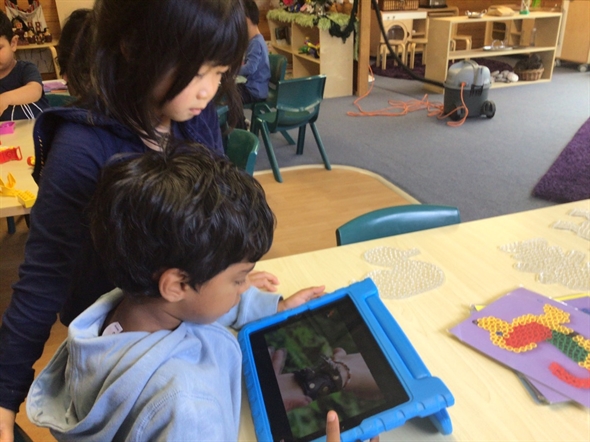
Following M's interest in the stag beetle, our room had a lot of activities investigating into insects, M got the children's iPad and researched more into the stag beetle, learning how it moves and it's habitat.
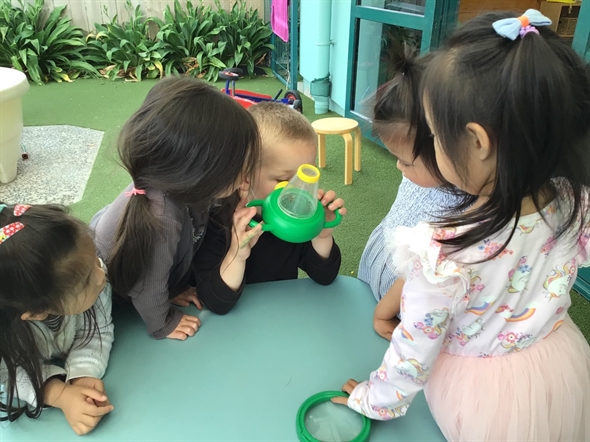
Then someone found a dead bee and a group of children took a closer look.
The children started looking for different insects in our garden, sometimes they looked really hard but couldn't find any insects.
M and E had an idea!
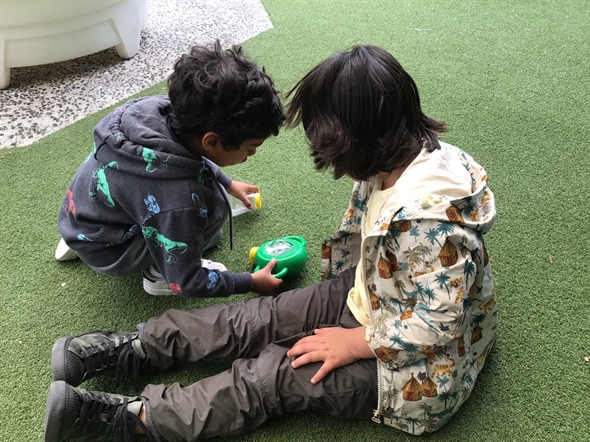
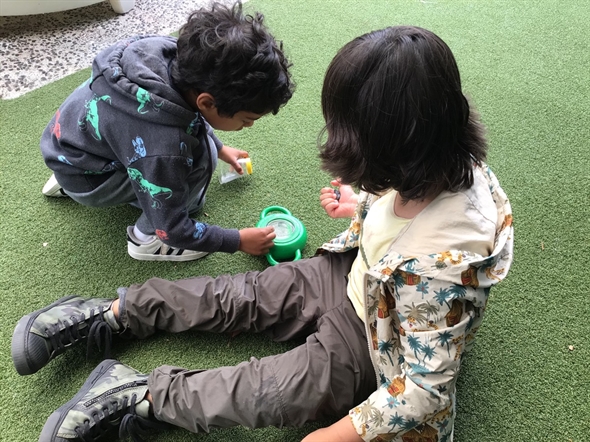
They put some water and a leaf in the explorer lens,
'the insect can drink water from this,' E said.
'I put a leaf so the insect will come,' M added.


M collaborate with his friends to make sense of his interest and the living world. They explore, find answers, and discuss their findings.
Keep an open mind and let M explore, provide more opportunities to learn about M interest and possibly show what he had learned.
Frameworks
Te Whāriki (with Examples) (Early Childhood)
- Curiosity about the world and the ability and inclination to share interests with others.
- Confidence in exploring, puzzling over and making sense of the world, using such strategies as setting and solving problems, looking for patterns, classifying, guessing, using trial and error, observing, planning, comparing, explaining, engaging in reflective discussion and listening to stories.
- Curiosity and the ability to inquire into, research, explore, generate and modify working theories about the natural, social, physical, spiritual and human-made worlds.
Tuesday, 10 November 2020
Project Insect - Using technology to extend an interest
We found a new insect!

Jen, Janny and Mark found a dead bee in the garden. We carefully picked it up and put it in the bug viewer to take a closer look. "How many legs has it got?" "What colour is it?" were the questions we asked.
"The bee has wings."
"We’ve got 2 legs."
"I found a mosquito." P ran to me and said, then we grabbed the iPad to have a closer look.
"It’s green."
"It has 6 legs."
"Is it a mosquito?"
Children got more curious in different types of critters found in the garden, and with technology, we have the opportunities to take a closer look and find out more about our insects.
To use technology to discover more about a wide range of insects, and keep hunting for small living creatures in our garden.
Sunday, 8 November 2020
Technology Integration I
Dr. Ruben Puentedura developed the SAMR model as a way for teachers to evaluate how they are incorporating technology into their instructional practice. You can use SAMR to reflect on how you're integrating technology into your classroom. Is it an act of Substitution? Augmentation? Modification? Or Redefinition?
Turning SAMR into TECH: What models are good for
A fun way to explain the SAMR model:
In a preschool setting, let's say drawing, apps like draw & tell is a Substitute if children only draw on a blank page. It then becomes Augmentation when children use the feature in the app, such as stickers, patterns, which is very hard to do in hand drawing. Children can also record their voices to tell their story about what they created, it then becomes a video and can be exported to share with parents.
Tuesday, 3 November 2020
Project Bilingual - Apps (Chatterkid & Book Creator) to enhance ESOL learning
Monday, 2 November 2020
Games for STEAM to learn problem solving & coding
Code.org is a fun site for students from elementary to high school to learn coding, take a look at the courses.
Star War Coding is one of the popular ones.
Great problem solving games
Sunday, 23 August 2020
AI for ASD
The World Health Organization (WHO) estimates that one in 160 children has an autism spectrum disorder. Children will grow up and eventually entered the workforce, it's critical to help the general public understand the needs of people with ASD, and assisting people with ASD understand the general public and integrate into society.
With technology, creating an individual learning plan for children with ASD becomes more tailored and efficient. There are apps to help autistic child learn using AI. With distance learning in the current environment, apps with AI helps parents complete exercises with their child at home. There're also apps like Brain Power and QTrobot to help with social skills.
"The Speed Cubers" on Netflix share the story of Max Park, I really admire the parents' dedication and helping him find his interest.
With the common norm to improve social skills for children with autism, I think understanding that learning social skills takes time (even for a school child) is important. For children in the spectrum, they just need more time and patience with someone to explain the social concepts. I think the learning focus should be placed on what the individual child do well first (e.g. cognitive, ability to focus), social skills second. I once worked with a child who are genius in programming, with the right environment, people with ASD can thrive and be a valuable part of any community.
Some more positive stories of how using tech help with ASD:
Saturday, 18 July 2020
Educating children on a limited budget
All in One Home School
Enough resources for a year, a majority of the resources are online. Rather than having a physical product that could wear and tear, playing learning games utilizes technology in a limited or no budget situation. Games like bad ice cream encourage teamwork. What's the difference between reading a physical book and an e-book? Do you prefer one over the other? What are the pros and cons for the two options?
Sunday, 7 June 2020
Nat Geo Educator Certification
During lockdown, I've taken the Nat Geo Educator Certification program, I really like their mission to develop explorers for the world.
With the certification program, I had the opportunity to connect with other educators around the world, and learned some valuable skills.
National Geographic Education's mission is to teach kids about the world and how it works, empowering them to succeed and to make it a better place. What is your teaching mission?
With work, family commitment during lockdown, it was a difficult time, but I'm glad there was a deadline, so I can practice the mantra 'It's better done than perfect', otherwise I know I'd spent a lot of time re-recording, re-doing the slides. During these few weeks, I've learned to make a presentation video with the resources I had.
Teachers can also join online learning courses to develop their content knowledge, learn new instructional strategies, or even pursue National Geographic Teacher Certification with other teachers from around the country. Most importantly, teachers will soon be able to join the online National Geographic Educator Network. Here, educators can share ideas, celebrate successes, and gain support in their challenges.
Saturday, 21 February 2015
Inclusive Education through and with Language
Thursday, 13 February 2014
Creative Ideas for using Google Forms
Innovative Ideas for Using Google Forms
Thursday, 23 January 2014
Using technology for transition to Primary school
Friday, 8 November 2013
Capturing the ipad screen
ScreenChomp, Educreations and ShowMe are free apps for the iPad that will help you recordKhan Academly style videos. You can create freehand drawings, write text, annotate pictures, and all your activity (including voice) will be recorded in one video.
Monday, 9 September 2013
Saturday, 6 July 2013
Sunday, 30 June 2013
Friday, 28 June 2013
The Commons Photos for Educators
Where to get photos that you can use for free:
Public Domain Pictures
Just by typing public domain picutres/photos in google search, it'll generate loads of sites where you can download photos for freeThe above photo is from PublicDomainPicutres.net, you can buy the contributor a coffee by donating if you really like the photos.
CC Search
Wikipedia Commons
Wikipedia Commons has a large database of good quality photos, for pretty much a lot of things a teacher is looking for. There are also videos for the search term, e.g. here's a video for jellyfish.
Flickr's The Commons
Flickr let everyday user share their photos, users can choose to share their photos to the world when they upload them. Here's a summary of all the creative commons licences. There's a lot of historic photos as well in The Commons.
Microsoft Office Images
I actually found a lot of interesting images in this site, to my surprise. Although a lot of it are from the cliparts in the Microsoft environment, there're also some good pictures.What about protecting your image? There's many programs/apps that let us add watermarks, copyright information to our image.
Friday, 21 June 2013
Encourage Home Language & Bi-lingual Curriculum (or multi-lingual curriculum)
Another reason for promoting multi-lingual education is that languages are disappearing, watch this TED talk:
At TEDxDubai, longtime English teacher Patricia Ryan asks a provocative question: Is the world's focus on English preventing the spread of great ideas in other languages? (For instance: what if Einstein had to pass the TOEFL?) It's a passionate defense of translating and sharing ideas.
Technology helps bridging the home languages to school, especially if you have ipads (or ipod, iphone, smartphones), the following is a screenshot of an app where you can add your own vocabulary and make it as a game for multi-language learning. We could get parents involved to record the correct pronunciation of the word.

Encourage the home language and helping children transition from home to the education setting could be as simple as learning a list of frequently used words, such as:
- Greetings (good morning, hi, bye)
- Manners (please, thank you, have a nice day)
- Instructions (stop, stand up, sit down, share...)
- Facts (colours, numbers)
- Praise (well done, very good...etc)
For the bi-lingual or multi-lingual student, I found it quicker for them to comprehend by keeping the language simple, and use two languages to reinforce meanings. For example, use 'raining, come in' instead of 'It's raining outside, come on in.' or pointing to a red cup, 'whero, red.'
A method suggested in the Advocacy Kit for Promoting Multilingual Education - Including the Excluded from UNESCO is to speak the home language first, once the child is confident and fluent in the first language, then add on the second. It could be hard due to resources (employing another teacher who speaks the language), but as mentioned above, using technology and learning the basic of the language helps.
Other apps for learning basic languages:
Free apps from innovative language
80 apps to learn a new language
A web-based program to learn about the language and culture:
Rocket French
Rocket Japanese
Rocket Italian
Rocket Spanish
Rocket German
Rocket Chinese
Rocket Arabic